Introduction to Roku Ultra
The Roku Ultra is widely recognized as a premier streaming player that elevates the viewing experience with its advanced features and capabilities. As the streaming landscape continues to evolve, the demand for high-quality content in 4K resolution has become an essential consideration for consumers. The Roku Ultra stands at the forefront of this technological progression, offering an outstanding 4K streaming capability that allows users to enjoy their favorite shows and movies in stunning detail.
One of the most significant aspects of the Roku Ultra is its ability to deliver an unparalleled streaming experience through its support for HDR (High Dynamic Range) content, providing a broader range of colors and contrast. This enhancement ensures that viewers can appreciate every nuance in dazzlingly crisp quality. With an array of popular streaming channels at users’ fingertips, the Roku Ultra connects seamlessly to various platforms, making it a versatile addition to any entertainment system.
In addition to its technical prowess, the Roku Ultra features a sophisticated design that harmonizes with modern home aesthetics. It is compact yet robust, reflecting a contemporary style that complements entertainment setups without drawing unnecessary attention. This attention to design goes hand-in-hand with its functionality, featuring advanced remote control options, including voice search capabilities, which further enhance user convenience and engagement.
The significance of 4K streaming today cannot be overstated; as more content becomes available in this high-resolution format, the Roku Ultra emerges as a leader in providing access to top-tier offerings. Its innovative features and focus on user experience position it as a valuable tool for anyone looking to elevate their home entertainment experience to new heights.
Key Features of Roku Ultra
The Roku Ultra stands out as the ultimate streaming player in the 4K category, offering a remarkable combination of features that cater to the diverse needs of modern viewers. Foremost among these is its capability for 4K HDR streaming, which delivers breathtaking visuals with realistic colors and enhanced contrast. This ensures that each viewing experience is not only enjoyable but also immersive, allowing users to appreciate their favorite content in high definition.
Another significant feature of the Roku Ultra is its support for Dolby Vision, a technology that provides an exceptional HDR experience. This high dynamic range improves the overall picture quality, making it a prime choice for those who appreciate cinematic detail in their home entertainment systems. By combining 4K HDR streaming with Dolby Vision, the Roku Ultra ensures that users can watch their favorite shows and movies with stunning clarity.
Customization is another hallmark of the Roku Ultra, allowing users to tailor their streaming experience. The device includes voice command functionality, enabling hands-free navigation and search capabilities that enhance convenience and accessibility. This feature is particularly beneficial for those who prefer a more interactive experience when browsing through their content.
Additionally, the Roku mobile app expands the usability of the Roku Ultra, allowing users to control their streaming device directly from their smartphones. This includes the ability to utilize the app for private listening, where users can connect their headphones to the mobile app and enjoy media without disturbing others. Moreover, the vast selection of channels available through Roku enhances the user experience, offering everything from popular streaming services to lesser-known platforms. With such a wide array of options, Roku Ultra users can access an extensive library of content tailored to their preferences.
Benefits of 4K Streaming
In recent years, 4K streaming has revolutionized the way audiences consume media, offering numerous advantages over traditional HD content. One of the most significant benefits of 4K streaming is the remarkable improvement in picture quality. With a resolution of 3840 x 2160 pixels, 4K provides four times the pixel count of standard 1080p HD video. This results in sharper images, allowing viewers to discern fine details that may have been lost in lower resolutions. For instance, when watching a nature documentary, the enhanced clarity in a close-up of a bird or landscape creates a more engaging experience.
Additionally, the vibrant colors associated with 4K and HDR10 technology significantly enhance visual storytelling. High Dynamic Range (HDR) contributes to a wider spectrum of colors and contrast, rendering rich, lifelike hues that appeal to the viewer’s senses. This color depth not only elevates the aesthetics of films and shows but also helps to convey moods and themes more effectively. When watching a visually stunning movie on the Roku Ultra, for example, users can truly appreciate the artistic direction of the cinematography.
Moreover, 4K streaming significantly enhances the immersive quality of home entertainment. With every detail brought to life through crystal-clear images and brilliant colors, viewers can feel more connected to the content they consume. Whether it is a gripping drama or an action-packed science fiction film, the overall experience is elevated. The Roku Ultra offers access to a vast library of 4K content, ensuring that users can take full advantage of this ultimate streaming player’s capabilities. As a result, individuals are encouraged to explore 4K streaming, as it enhances their cinematic experiences at home.
Setting Up Your Roku Ultra
Setting up your Roku Ultra – ultimate streaming player 4K is a straightforward process that typically requires only a few steps. To begin with, ensure that you have your Roku Ultra device, a compatible TV, an HDMI cable (if not integrated), and a stable Wi-Fi connection. Once you have gathered these materials, follow the instructions below to set up your device effectively.
First, connect the Roku Ultra to your TV’s HDMI port. If your TV has multiple HDMI ports, choose one that you can easily remember. After connecting, power on your TV and select the correct HDMI input where your Roku Ultra is connected. Next, plug the Roku device into a power outlet using the provided power adapter. The device will turn on automatically, and you should see the Roku logo on your screen.
Now, it’s time to connect to Wi-Fi. Using your remote control, follow the on-screen prompts to select your Wi-Fi network and enter the password. For the best streaming performance, ensure you have a strong Wi-Fi signal. If you find that your Wi-Fi connection is weak, consider moving your router closer to the Roku device or using an Ethernet cable for a more stable connection.
Once connected, the Roku Ultra will download the latest software updates automatically. This step is crucial, as it ensures you have access to all available features and enhancements for your ultimate streaming experience. After updates are complete, you can sign in to your existing Roku account or create a new one to access various streaming services.
If you encounter any issues during the setup, common troubleshooting steps include verifying connections, restarting the device, and ensuring that the remote is functioning properly. By following these steps, you will be ready to enjoy a robust selection of 4K content through your Roku Ultra – ultimate streaming player 4K in no time.
Accessing 1000+ Streaming Channels
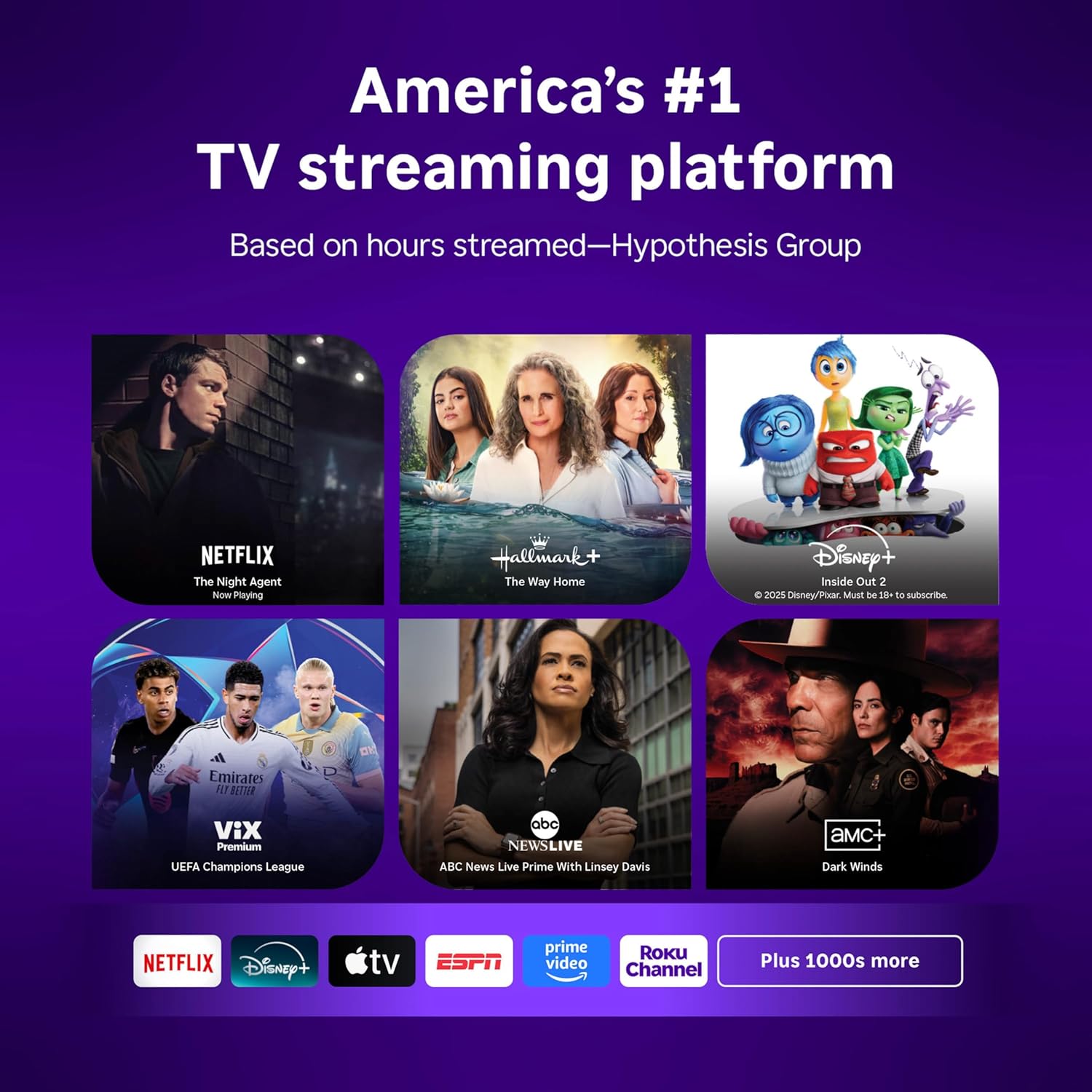
The Roku Ultra is recognized as the ultimate streaming player for 4K content, providing users with unparalleled access to an extensive library of over 1000 streaming channels. This broad selection includes popular services like Netflix, Hulu, Amazon Prime Video, Disney+, and many more, ensuring that subscribers can easily find and enjoy a diverse array of entertainment options all in one place. The convenience of having such a comprehensive collection enhances the overall streaming experience, allowing users to browse and switch between platforms effortlessly.
One of the significant advantages of the Roku Ultra is its ability to aggregate content from multiple streaming services, eliminating the need to switch between different apps. This user-friendly interface allows viewers to discover new shows, movies, and exclusive content with ease. For instance, Roku users can access premium subscription channels such as HBO Max, Showtime, and Starz, offering a plethora of current and classic films and series. Additionally, the device provides various news channels and sports networks, catering to a broad audience with different viewing preferences.
Furthermore, the Roku Ultra stands out by offering exclusive features that enhance the streaming experience. For example, Roku’s Voice Search enables users to effortlessly search for content across all available channels and services, ensuring that finding favorite shows or new recommendations is quick and efficient. Additionally, the integration of Roku Channels provides options to watch free movies and shows supported by ads, expanding viewing opportunities without requiring a subscription. Overall, the Roku Ultra truly embodies the ultimate streaming player 4K, offering versatility and access to an impressive range of channels that cater to a wide audience.
Roku Ultra vs. Competitors
The streaming device market is saturated with numerous options, each boasting unique features and advantages. Among the frontrunners, the Roku Ultra emerges as a compelling choice, particularly when contrasted with competitors like Amazon Fire TV, Apple TV, and Google Chromecast. Each device appeals to different user preferences, making the selection process crucial for consumers.
When evaluating performance, the Roku Ultra excels in 4K resolution and HDR support, catering to users who seek superior video quality. It features a quad-core processor that ensures smooth streaming, which is comparable to Amazon Fire TV’s capabilities. However, Apple TV has an edge in terms of exclusive content availability, particularly for users invested in the Apple ecosystem. Google Chromecast stands out for its unique casting feature, allowing users to stream directly from their mobile devices, yet it lacks the dedicated user interface found in the Roku Ultra.
In terms of pricing, the Roku Ultra generally offers a competitive advantage. While the Amazon Fire TV and Roku Ultra align closely in price, the latter provides a broader channel selection without being tied into a subscription service, which can be a drawback for some Fire TV users. Apple TV tends to position itself at a premium price point, which may not appeal to budget-conscious consumers. Google Chromecast offers an entry-level price, but this comes at the cost of more limited features.
User interface is another critical consideration. The Roku Ultra utilizes a straightforward, user-friendly interface that simplifies navigation between channels and apps. In comparison, while Amazon’s interface has improved, it can sometimes overwhelm users with promotional content. Apple TV’s interface is sleek but can feel restrictive, as it favors Apple’s offerings. Google Chromecast relies on mobile devices for navigation, which may not be suitable for everyone.
Overall, the Roku Ultra stands out in this competitive market due to its ideal combination of affordability, user-friendly design, and exceptional performance, making it an attractive option for 4K streaming enthusiasts.
Real User Experiences and Reviews
The Roku Ultra, known as the ultimate streaming player for 4K content, has garnered significant attention among users, offering a wide range of feedback and reviews. One of the standout aspects highlighted by users is its exceptional ease of use. Many users have commended the intuitive interface and the streamlined setup process, which allows even novice users to navigate through their favorite streaming services seamlessly. This user-friendly approach tends to be a common thread in numerous testimonials.
Furthermore, the Roku Ultra’s performance in delivering high-quality 4K streaming has impressed a majority of customers. Users report exceptional picture quality, vibrant colors, and an overall immersive viewing experience. The device’s compatibility with various popular streaming services, such as Netflix, Hulu, and Disney+, further enriches the viewing options available to subscribers, making it a versatile choice for entertainment enthusiasts.
However, not all experiences have been entirely positive. Some users have voiced concerns regarding the device’s remote control functionality, particularly regarding its responsiveness. A few reviews mentioned that the remote can occasionally lag in response or be unresponsive, which may lead to a less satisfactory user experience for some. These concerns, while valid, often seem to be outweighed by the overall enthusiasm for the Roku Ultra.
Additionally, customer service has been noted in reviews as an area where improvements could be made. While many users reported satisfactory interactions with tech support, others experienced delays in receiving assistance. Nevertheless, the majority of customers remain highly satisfied with their purchase, recognizing the Roku Ultra as a powerful streaming player that meets and often surpasses their expectations for 4K content delivery.
In summary, the Roku Ultra has received a wealth of positive feedback while also noting some areas for improvement, making it a largely credible option for those seeking a reliable 4K streaming solution.
Maximizing Your Streaming Experience
To fully enjoy the capabilities of the Roku Ultra – ultimate streaming player 4K, it is essential to consider several aspects that can enhance your streaming experience. One of the most critical factors is your internet connection speed. For optimal performance, it is recommended to have a minimum internet speed of 25 Mbps. This will ensure that you can comfortably stream high-quality 4K content without buffering interruptions. If your household has multiple devices connected to the internet, consider upgrading your plan or prioritizing bandwidth for the Roku Ultra to ensure smooth playback.
When it comes to connectivity, using a high-speed HDMI cable is generally preferable to wireless streaming, especially for the Roku Ultra. An HDMI cable provides a stable, high-quality connection that can significantly reduce latency and improve video quality. If you do choose to use wireless features, ensure that your router is positioned near the device, ideally supporting the latest Wi-Fi technologies such as Wi-Fi 5 or 6 for better speed and range.
Additionally, exploring the lesser-known features of Roku Ultra can elevate your viewing experience. Take advantage of 4K Spotlight, which helps you discover the best 4K content available. The Roku mobile app also offers a handy remote control option and allows for private listening through your smartphone, ensuring an uninterrupted experience in shared spaces. Furthermore, the device supports voice search, making content discovery accessible and streamlined.
For users who wish to delve deeper into optimizing their Roku experience, resources such as Roku’s official support page and online forums can provide invaluable tips and tricks. By implementing these recommendations, you can ensure that the Roku Ultra – ultimate streaming player 4K, delivers an exceptional viewing experience tailored to your preferences.
Where to Buy the Roku Ultra
When considering the purchase of the Roku Ultra, the ultimate streaming player 4K, consumers have a variety of retail options available to them. This versatile device can be found both in physical retail outlets and through various online platforms, making it accessible for all preferences.
Major electronics retailers such as Best Buy, Target, and Walmart frequently stock the Roku Ultra, often featuring competitive pricing. It is advisable to check their websites or visit their stores to see if there are any ongoing promotions or discounts. In addition, these retailers sometimes offer bundle deals that include essential accessories, enhancing the value of the Roku Ultra purchase.
Online shopping options are equally plentiful. Websites such as Amazon, eBay, and the official Roku store provide a convenient choice for purchasing the Roku Ultra from the comfort of home. These platforms may offer unique deals or limited-time offers, allowing buyers to potentially save money while securing their ultimate streaming player 4K.
For those who prioritize warranties, purchasing from authorized retailers often comes with added protection. The Roku Ultra typically includes a standard manufacturer’s warranty, but verifying the details and duration when buying, especially from third-party sellers, is important. Doing so ensures that customers have recourse for any defects that may arise post-purchase.
Additionally, exploring seasonal sales events, such as Black Friday or Cyber Monday, may provide significant savings on the Roku Ultra. Consumers could find attractive offers during these times, making it an excellent opportunity to acquire the ultimate streaming player 4K at a reduced price. Overall, whether purchasing in-store or online, doing research can lead to a satisfying buying experience.